How to play
How to play FourCities
FourCities is a free railway tycoon strategy game that runs in your browser. This guide takes you from an empty map to a working supply chain and a growing city.
Before you start
FourCities is played on a computer with a mouse and keyboard. On your first visit the start screen leads with New here? Play the tutorial, a guided first match on a friendly map with idle rivals and €400,000 to spend. Its steps tick off by themselves as you do them, and they end with a working supply chain. If you would rather jump straight in, choose Skip, start a normal game, or open Match options to change the seed, rivals, starting cash and match length first. A normal game shows a Your first train checklist until your first train runs. This guide covers the same ground in prose.
You run one of four railway companies. Each company has a home city of 5,000 people and a territory around it, drawn as a coloured border on the map. A standard start gives you €250,000 (the setup screen also offers €150,000 and €400,000). Your city is marked “(you)”.
Controls: drag to pan (or use WASD or the arrow keys), scroll to zoom, and press Space to pause. The number keys pick tools: 1 Inspect, 2 Track, 3 Station, 4 Signal, 5 Line, 6 Factory, 7 Remove, 8 Auto-route.
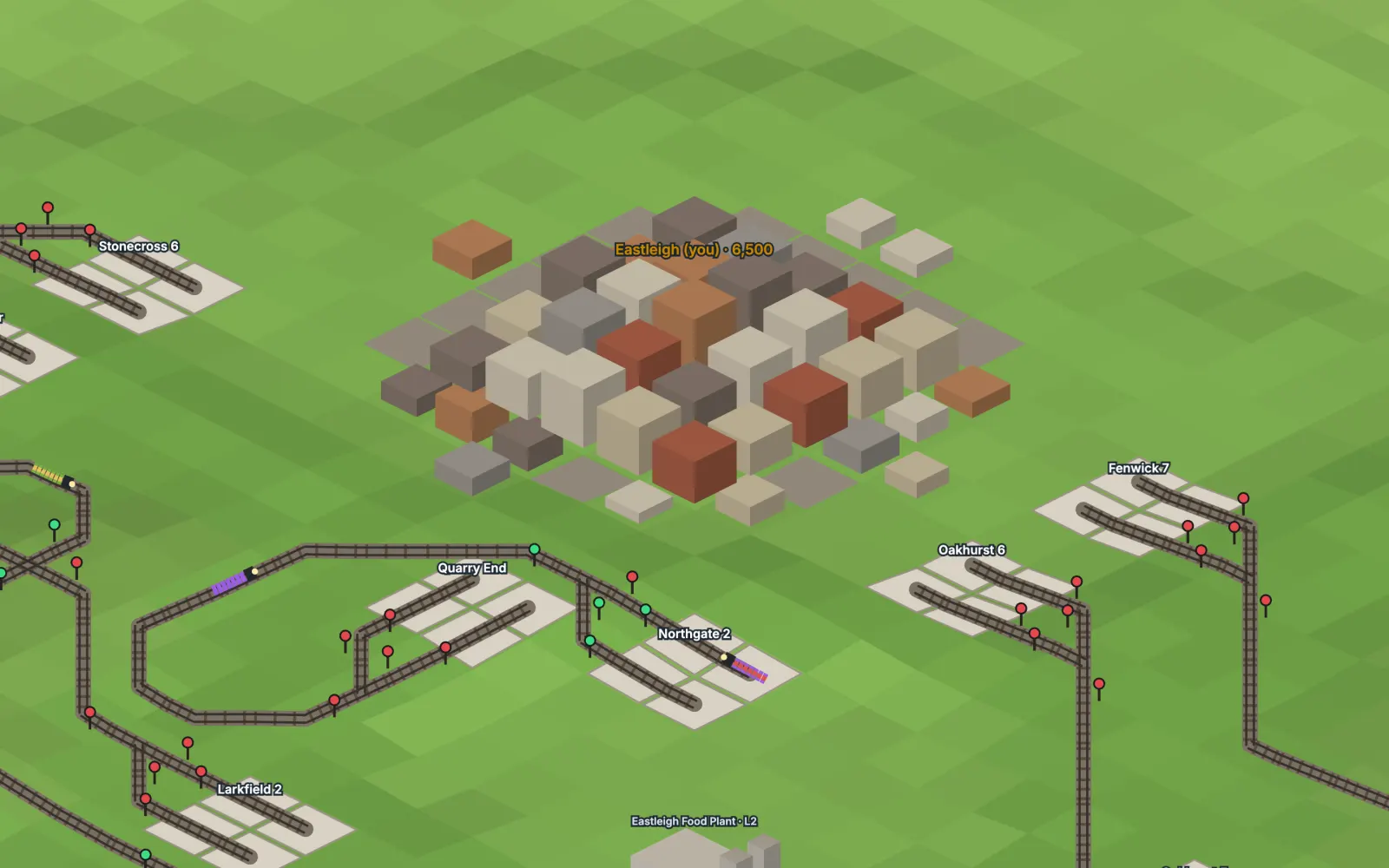
Your first line
A line is a route between two stations that your trains run back and forth. To build the first one:
- Find something to haul. With Inspect (1), click a forest or a farm inside your territory. Raw sites produce cargo every month. Each territory has two raw cargo types, and coal and iron never share a territory.
- Place a station beside it with the Station tool (3). Press R to rotate it. The highlight shows the four-tile catchment around the platform and what it would serve.
- Build a factory in your own territory, ideally near your city, using the Factory tool (6): a Sawmill turns wood into planks, a Food Plant turns grain into food, and a Steel Mill turns coal and iron ore into steel. Factories can only be built in your home territory.
- Place a second station beside the factory.
- Join the stations with track. With the Track tool (2), drag between them; track runs in straight lines and 45-degree bends. Track costs €10,000 per kilometre in your territory, three times that on someone else’s, and the game builds bridges (×4) and tunnels (×8) where the ground is too steep or wet. The Auto-route tool (8) plans a buildable path for you.
- Create the line. With the Line tool (5), click the pickup station, then the factory station, then Create line in the panel. For each stop you can choose to wait for a full load.
Signals are placed for you where tracks meet. You can toggle one yourself with the Signal tool (4).
Your first train
Open the line in the side panel and buy a train for it. A train carries one kind of cargo, so pick the one that line moves. The first locomotive, the 1850 Ashworth Courier, costs €18,000. Wagons carry more as eras advance.
Then let it run. Use 2× or 4× speed in a solo game to see results sooner. You are paid when the train unloads: tonnes × distance, with less if the cargo was slow. Raw cargo delivered to your factory feeds it, and the factory turns it into steel, planks or food. If a train is waiting, stuck or losing money, the Trains tab flags it.
Feeding your city
Your city only grows from two things: goods that your own trains deliver to it, and passenger lines from it to other cities. To sell your factory’s output to your city, place a station beside the city, make a line from the factory station to it, and buy a train that carries the product. Only your own deliveries count, so a rival hauling food to your city does not help you grow.
Each size step adds a need on top of the last:
| Population | New need | Where it comes from |
|---|---|---|
| Start (5,000) | Nothing yet | Growth only needs deliveries or passengers |
| Past 6,000 | Food | Grain, then a Food Plant |
| Past 7,500 | Planks and steel | Wood and a Sawmill; coal, iron ore and a Steel Mill |
| Past 12,000 | Fuel | Oil and a Refinery |
| Past 20,000 | Goods | Steel plus planks at a Goods Factory |
If a current need runs short for two months, growth stops at that size. If the shortage continues, a bigger city shrinks back. The city panel shows what the city uses each month and how many months of stock are left. Passenger lines to other cities add a further bonus, and faster trains count for more.
Growing your company
- Add trains where cargo piles up. An industry that ships more than 75% of its output for six months earns an upgrade, which you then pay for. It doubles the output. Any company serving a mine or farm can pay for its upgrade.
- Take contracts. Every three months a city posts an offer, such as a number of tonnes of food within 12 months. Accept it in the Contracts tab and it is yours alone. Deliver in time for a bonus, or pay a fine of a quarter of it. You can hold two at a time.
- Mind your cash. Purchases need cash in hand. Loans come in €50,000 steps at 6% a year, up to €100,000 plus €40 per resident of your city, so credit grows with the city. Running costs can push you to −€50,000; past that the bank sells your least profitable trains.
- Modernise. New locomotives arrive over the years, and you are told when each becomes available. Older trains cost 3% more per year of age to maintain, up to double.
- Expect the map to change. Mines and oil wells eventually run dry, and new sites are found every 30 months.
How you win
Every match ends in a set year. The highest score then wins, where score = net worth + your city’s population × the value of an inhabitant. An inhabitant is worth the average net worth per resident across all companies, so a rich company with a small town and a company with a big city on thin margins can both come out ahead. A live leaderboard shows the ranking throughout, and the end screen shows the final ranking, a score-over-time chart and awards.
You choose the length when you set up a match:
| Length | Years | Time at normal speed |
|---|---|---|
| Sprint | 1850 to 1870 | about 15 minutes |
| Short | 1850 to 1900 | about 38 minutes |
| Full | 1850 to 2050 | about 2½ hours |
Solo games can be sped up to 4×. Online matches run at normal speed.
Tips
- Start with one short line close to your city, and get it paying before you build a second one.
- Deliver raw cargo from sites inside your own territory first. Hauling a rival’s raw cargo out of their territory pays them a 15% royalty.
- Trains need room to pass each other. On track where trains can pass only at platforms, the game refuses a train that would put as many trains as platforms there. Trains stuck waiting on each other show as Jammed.
- Steel needs coal and iron ore from different territories, so expect to haul across a border for it.
- Build for a rival’s land only when you have to. It costs three times as much.
- Save your solo game to the browser from time to time. It also autosaves every New Year.
For the rules behind all this, see features and mechanics. Short answers are in the FAQ.
Ready to try it? FourCities is free and runs in your browser. There is nothing to install and no account to make.
Play FourCities